Mercado Pago · Brazil2020–2021UX/UI Designer

Mercado Pago Card

One card. Three ways to pay.
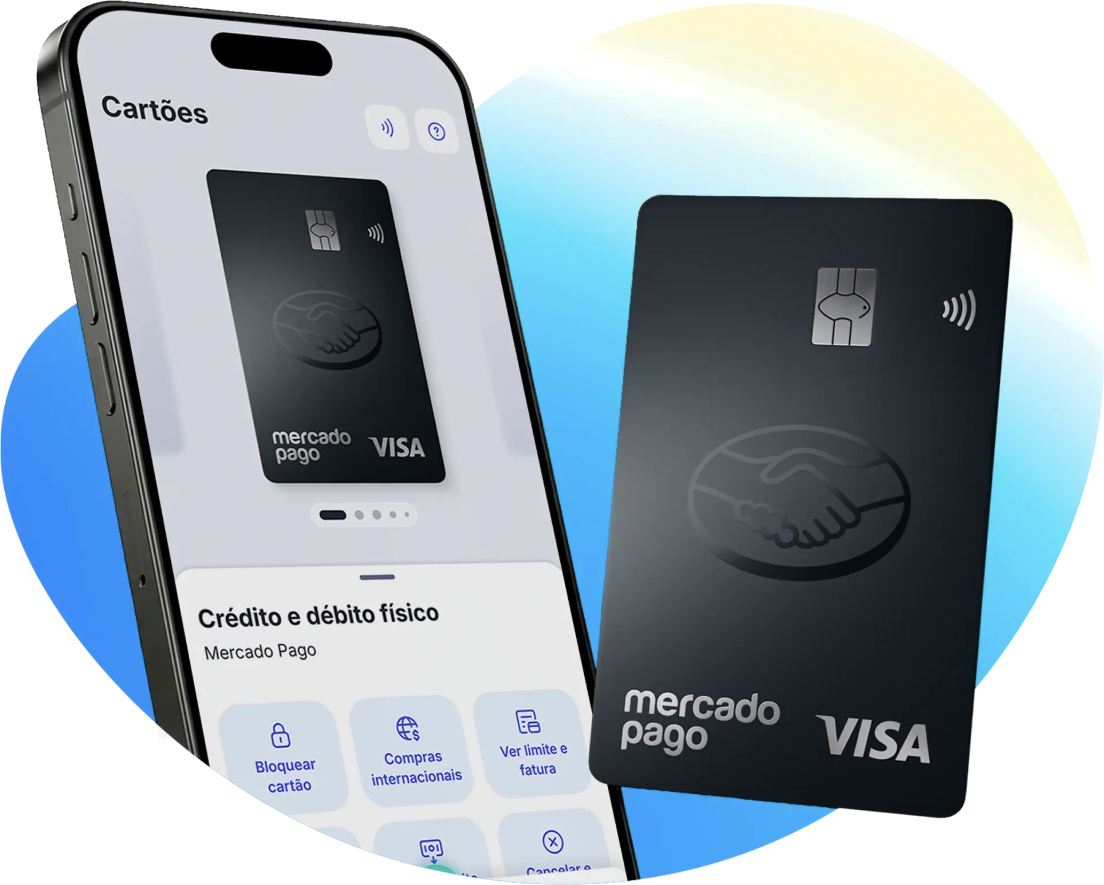
Mercado Pago card and app

The challenge

Mercado Pago users in Brazil had money in their account, but to actually use it, they withdrew it as cash.

The goal was to give them more ways to pay with their balance, online and in any store, whatever payment method it accepts. That way, the money stays in Mercado Pago instead of leaving it.

The people we designed for mostly used cash. Many were unbanked or underbanked, and new payment technology felt risky, not convenient.

Who we designed for

Eugenia 24–44 · avg. R$2,500 / month
  • Formal job
  • Banked, but prefers cash
  • Follows tech, doesn’t lead it
Cacho 24–44 · avg. R$1,200 / month
  • Informal job
  • Unbanked
  • Not an early adopter
The entrepreneur Revenue up to R$6,700 / month
  • Self-employed
  • One-person business
  • Informal

0 → 1 · One hybrid card

We turned the prepaid card into a single hybrid product: debit and credit in one card, with three ways to use it.
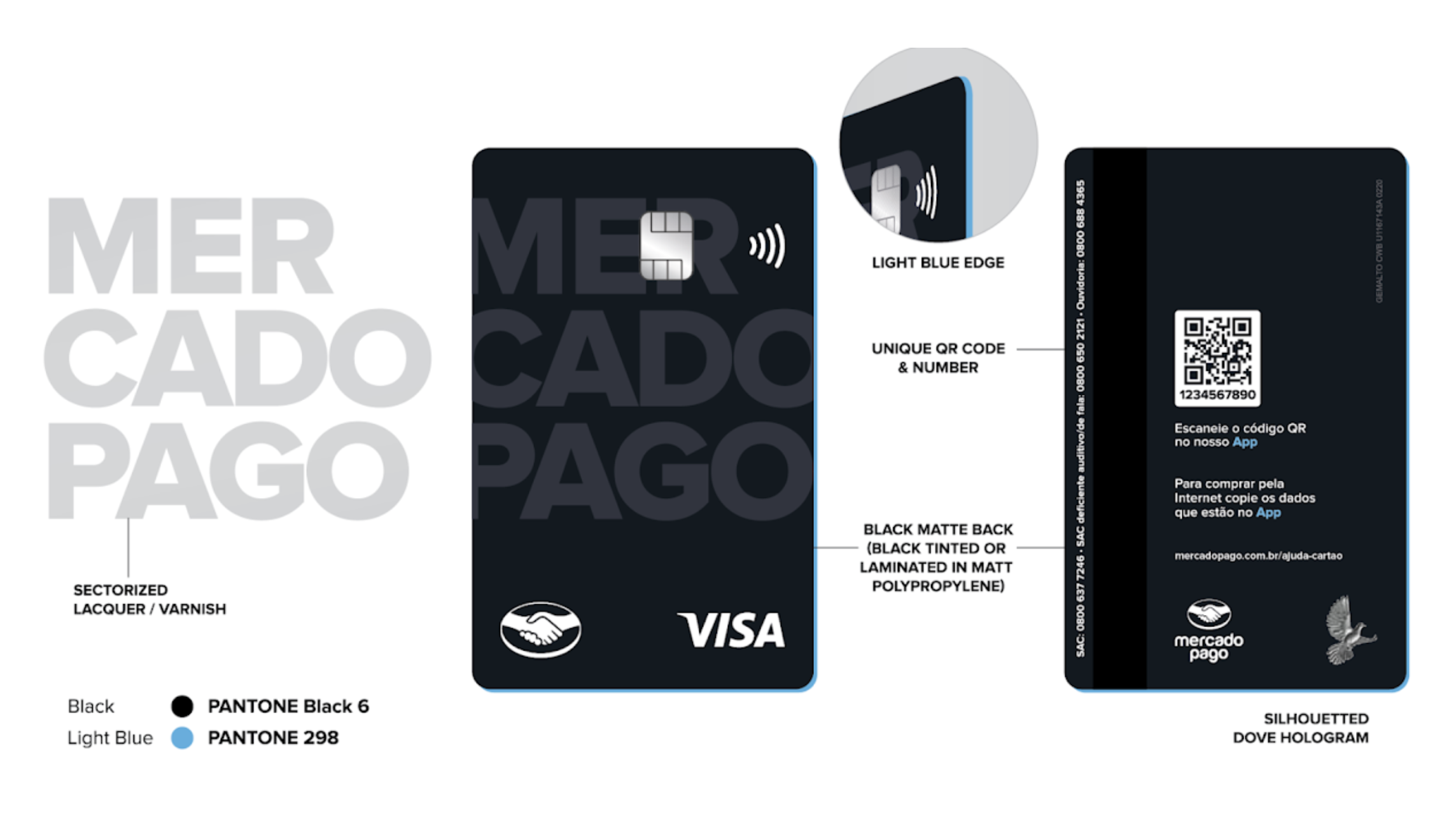
Mercado Pago card design: front, back, light blue edge, unique QR code and dove hologram
01 Virtual card For online payments and subscriptions, ready in seconds and paid with the account balance.
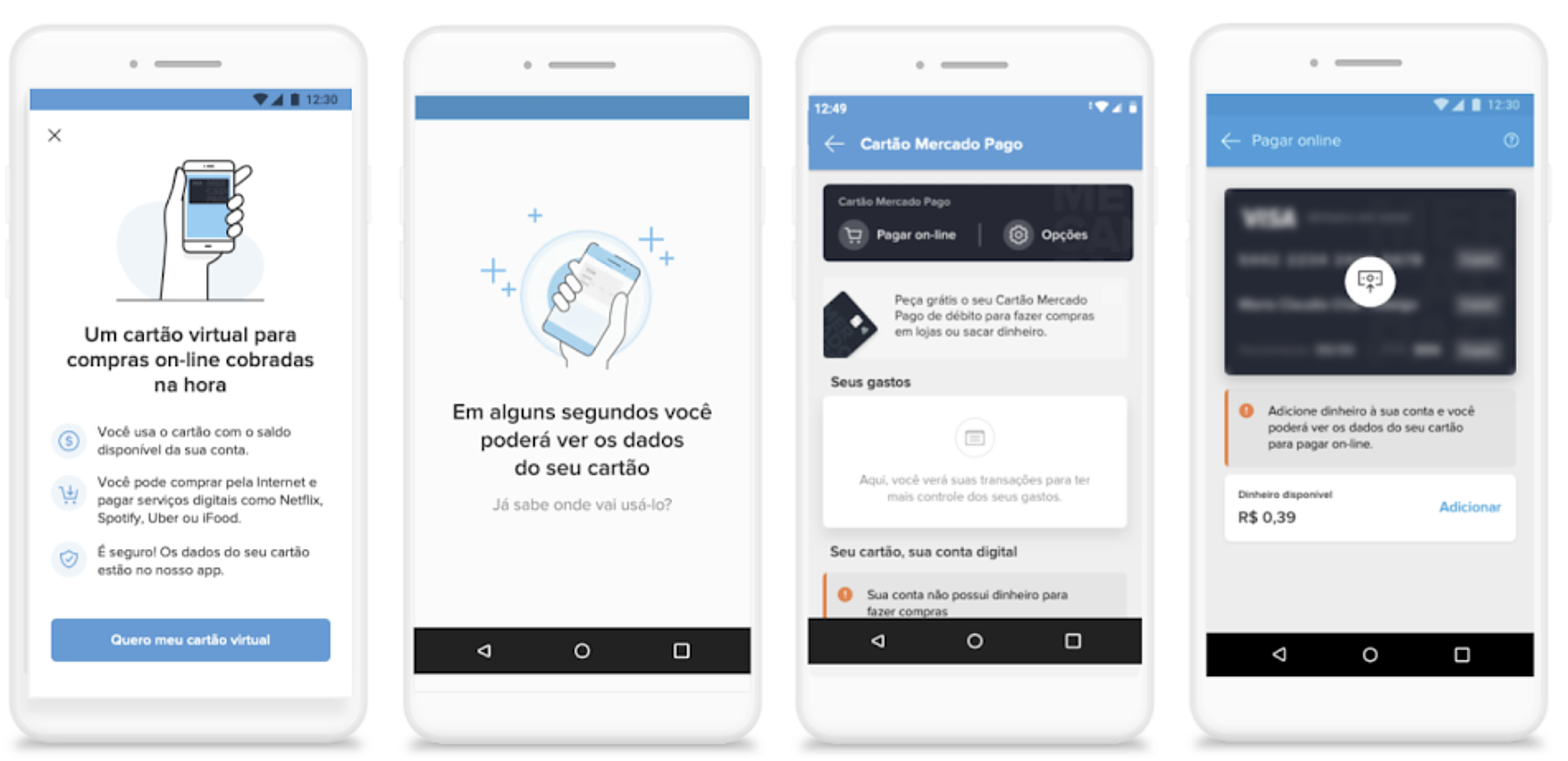
Virtual card onboarding: value proposition, card creation, card dashboard and pay online screen
From the first explanation to the card dashboard: what it is, how it works and why it’s safe.
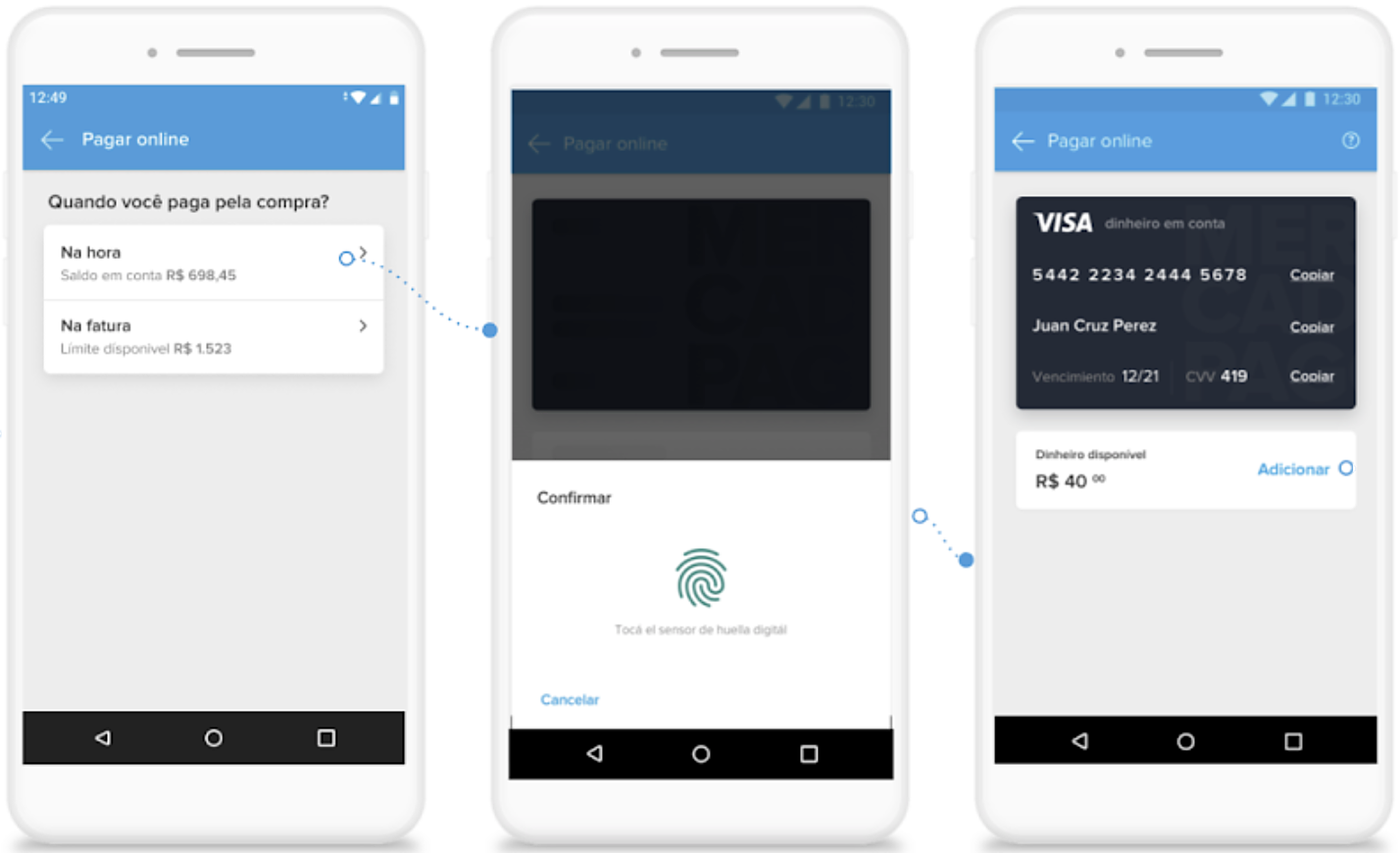
Pay online flow: choose when to pay, confirm with fingerprint, see virtual card details
Pay online: choose debit or credit, confirm with a fingerprint and copy the card details.
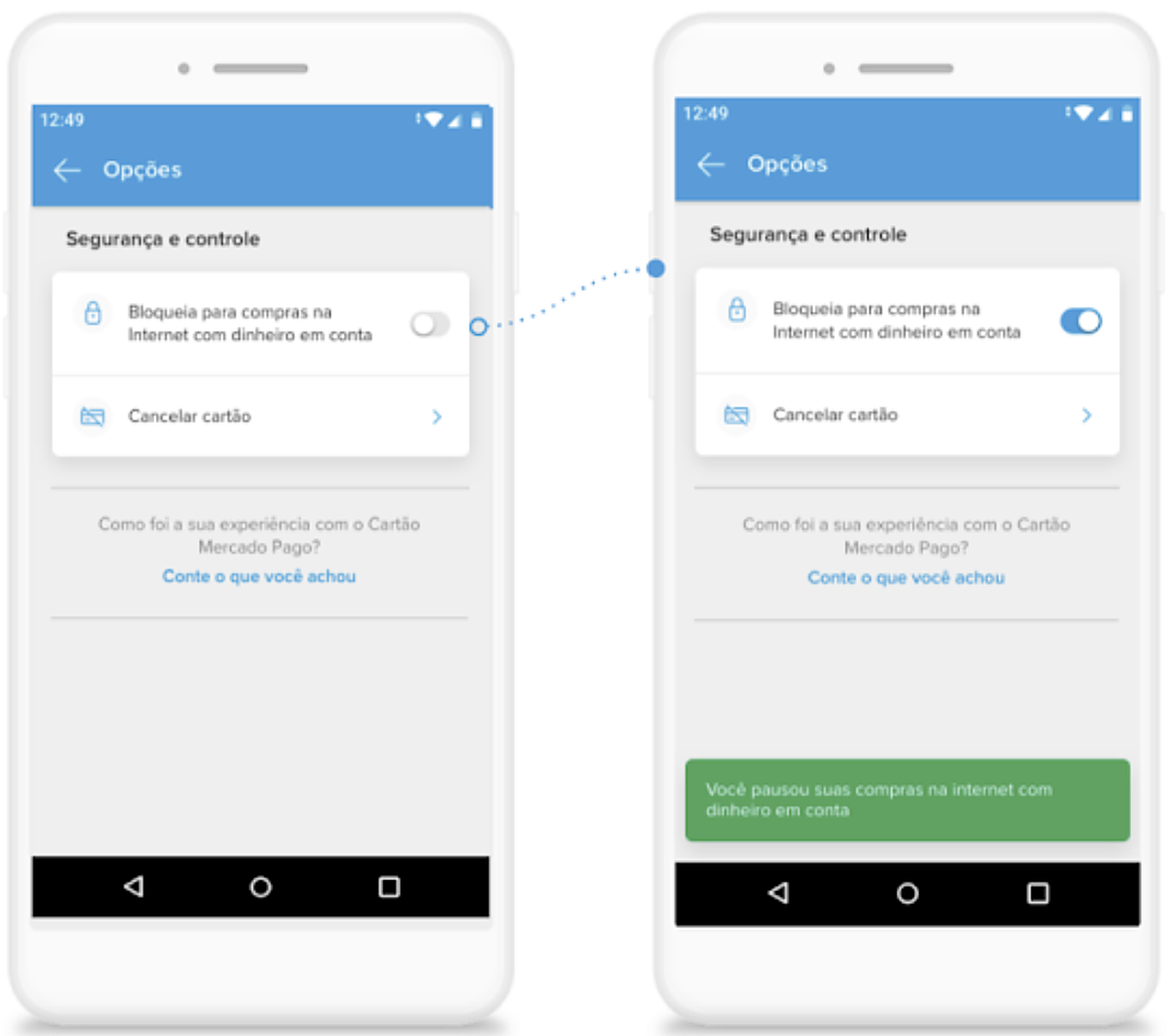
Pause virtual card: toggle to block online purchases with confirmation
Control: pause online purchases in one tap.
02 Physical card Ordered for free from the app and tracked until it arrives. Once it’s in hand, every control lives in one place.
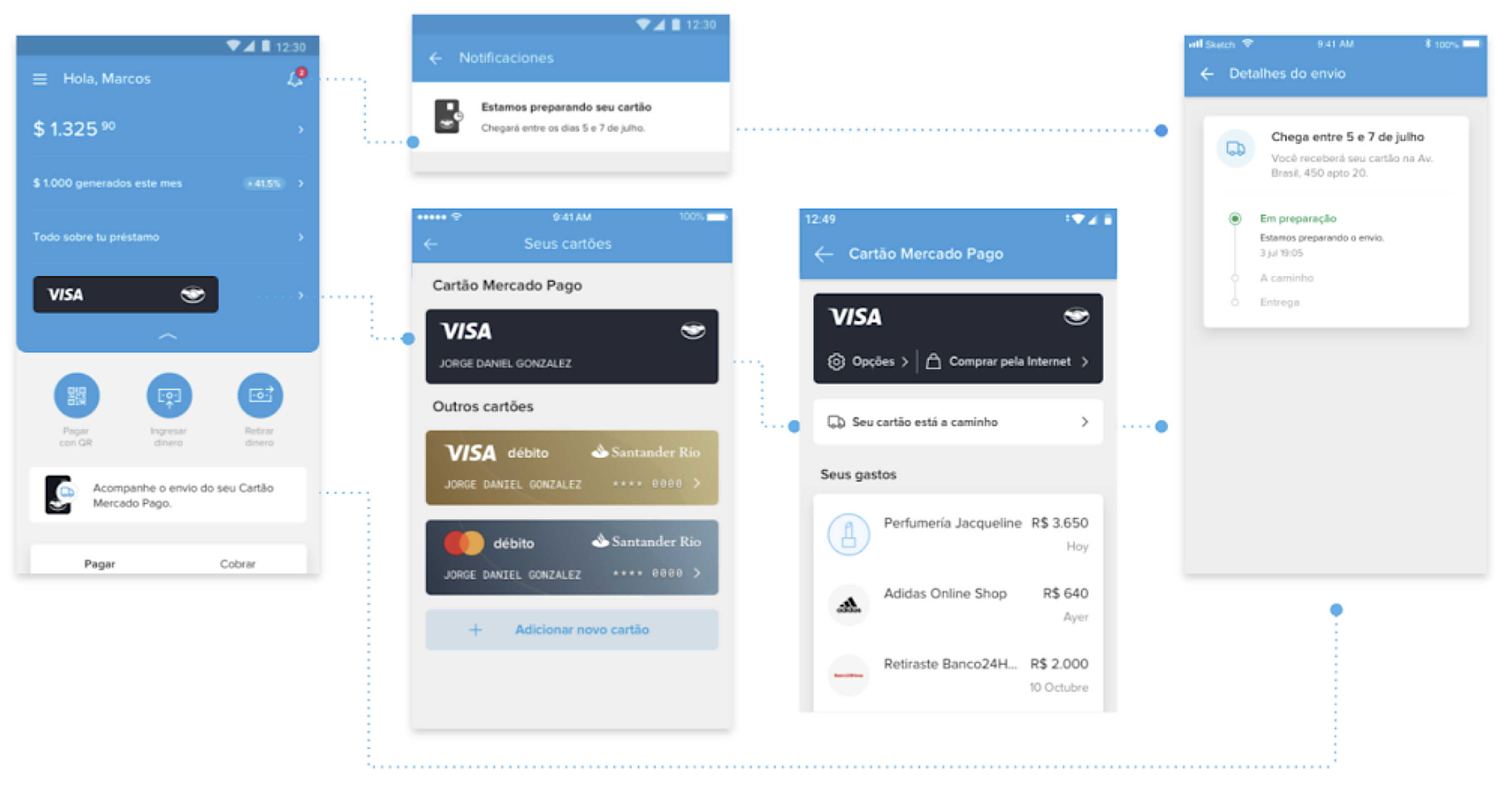
Physical card delivery tracking: home, notification, cards list, card dashboard and shipping details
Tracking: from the first notification to the shipping details, reachable from every entry point.
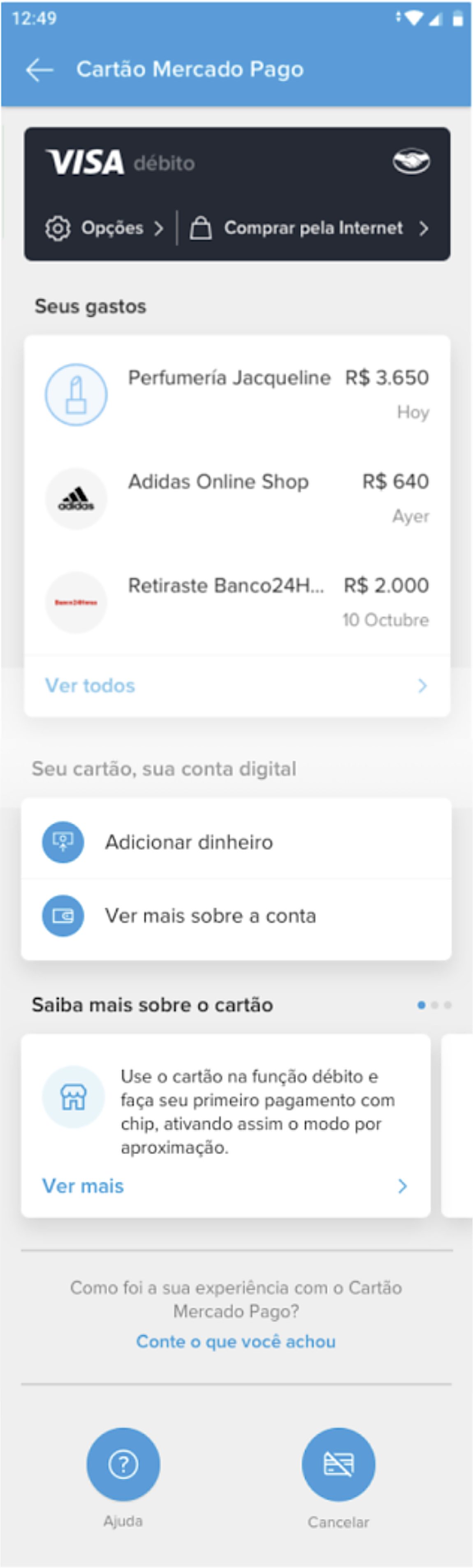
Card dashboard: spending, account actions, tips about the card, help and cancel
One dashboard for both cards: spending, account and tips to start using the card.
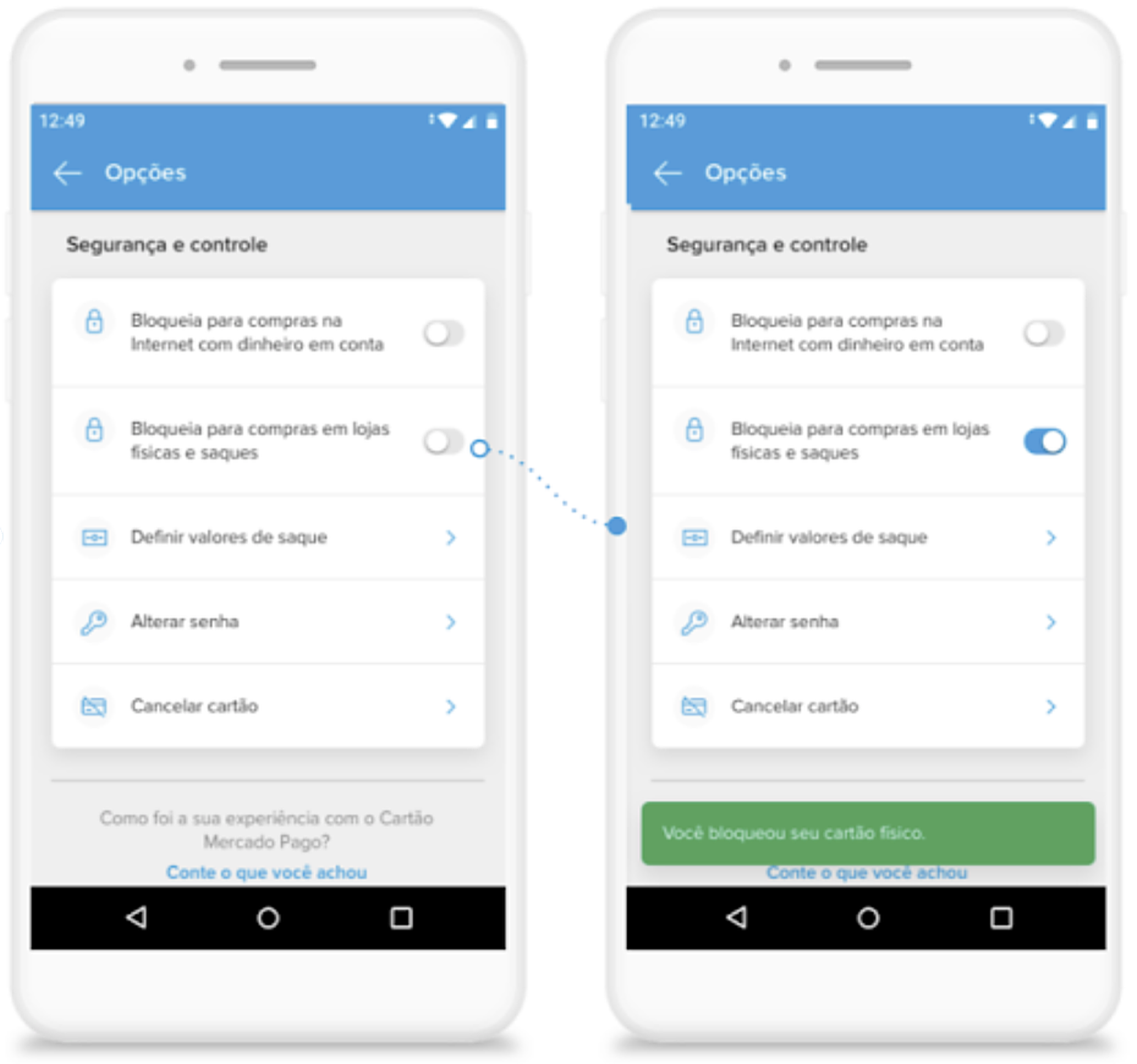
Block physical card: toggle to block in-store purchases and withdrawals with confirmation
Block in-store purchases and withdrawals in one tap.
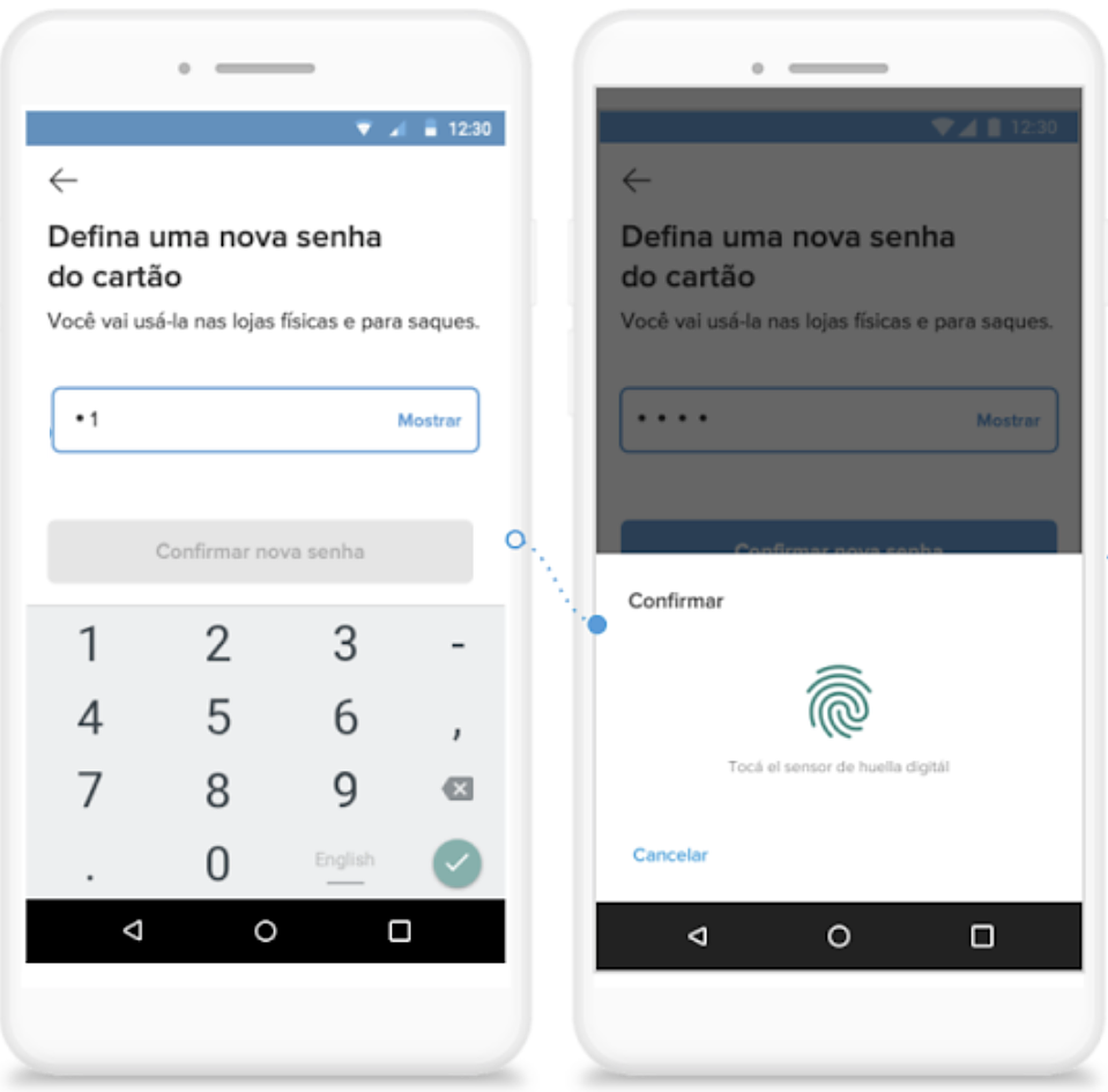
Change PIN: enter a new PIN and confirm with fingerprint
Change the PIN from the app, confirmed with a fingerprint.
03 NFC payments Pay with the phone at any card machine that accepts Visa, using the money in the account.
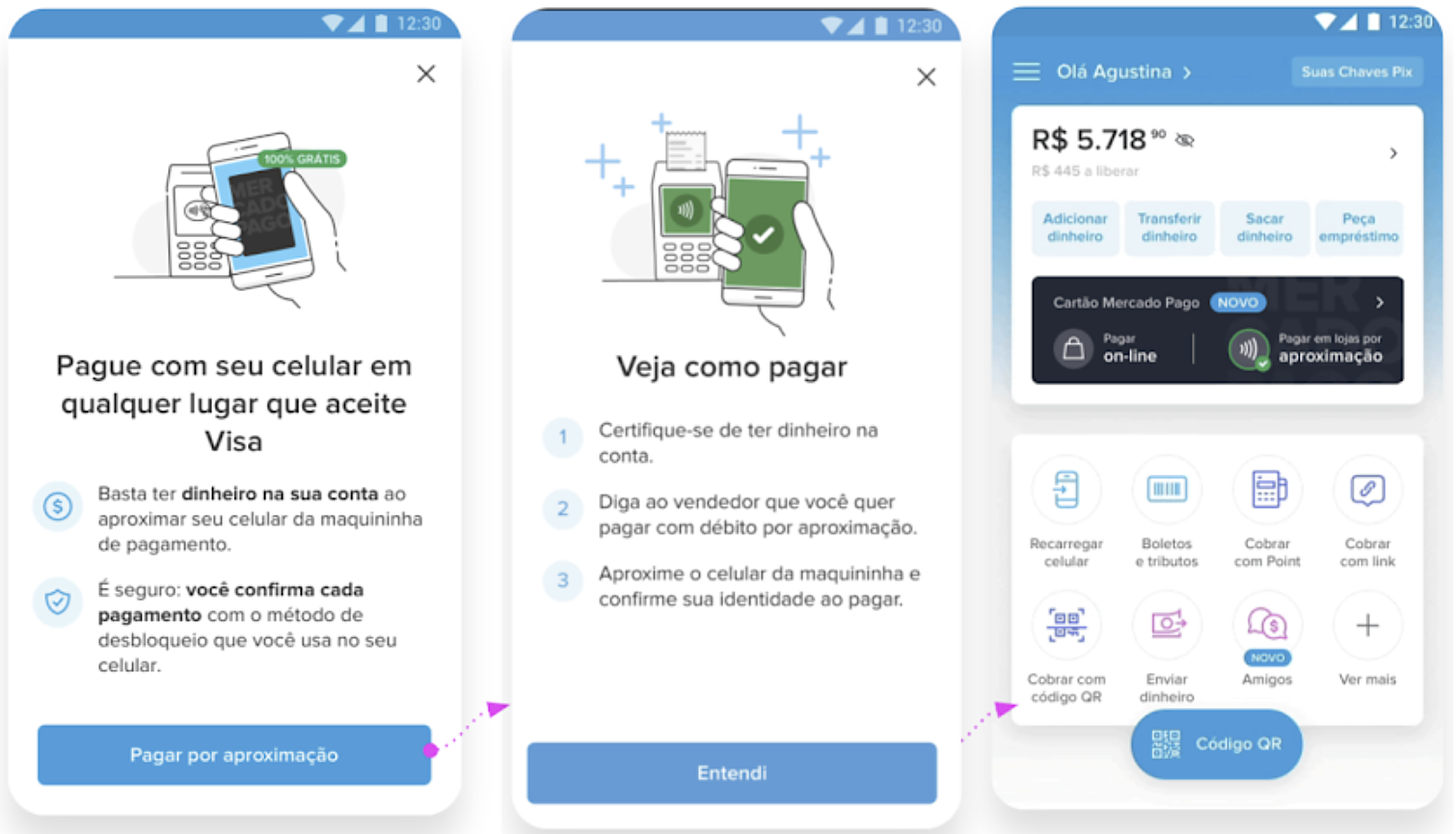
NFC activation: value proposition, how to pay instructions and the home showing NFC payments as active
Activation: what it is, how to pay, and a clear sign on the home once it’s ready.
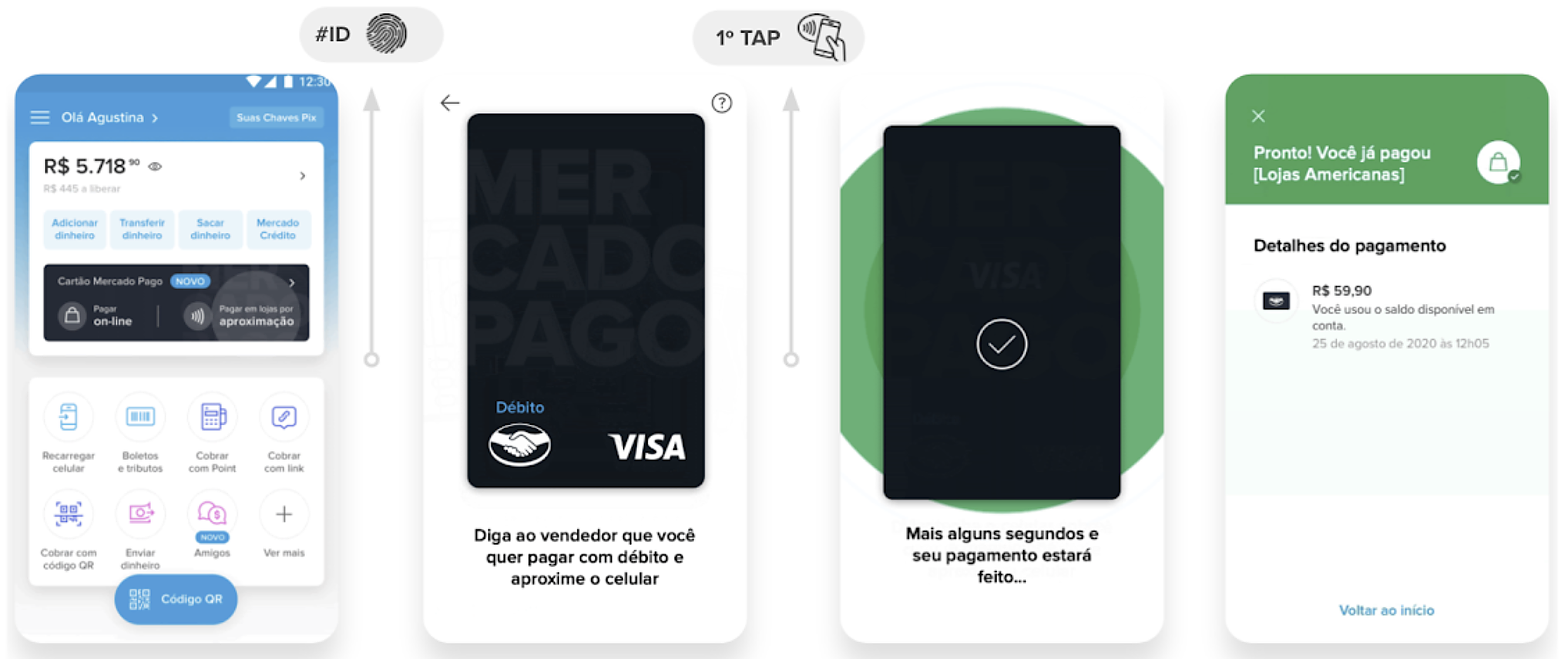
Paying with NFC in one tap: home, card ready to pay, payment in progress and payment confirmation
Paying in one tap: unlock the phone, hold it near the card machine, done.

Removing friction, one fear at a time

Early on, two things got in the way of adoption.

Confusion about how to use itOne card with three ways to pay was new. People weren’t sure what each one was for or where they could use it.
Fear of NFC paymentsMany believed anyone could hold a card machine close to their phone and charge them.

We ran User Labs and tested different ways of explaining the product until we found the words and flows that made sense to people who had always paid in cash. That shaped the onboarding, the setup of each mode and the in-app education about security.
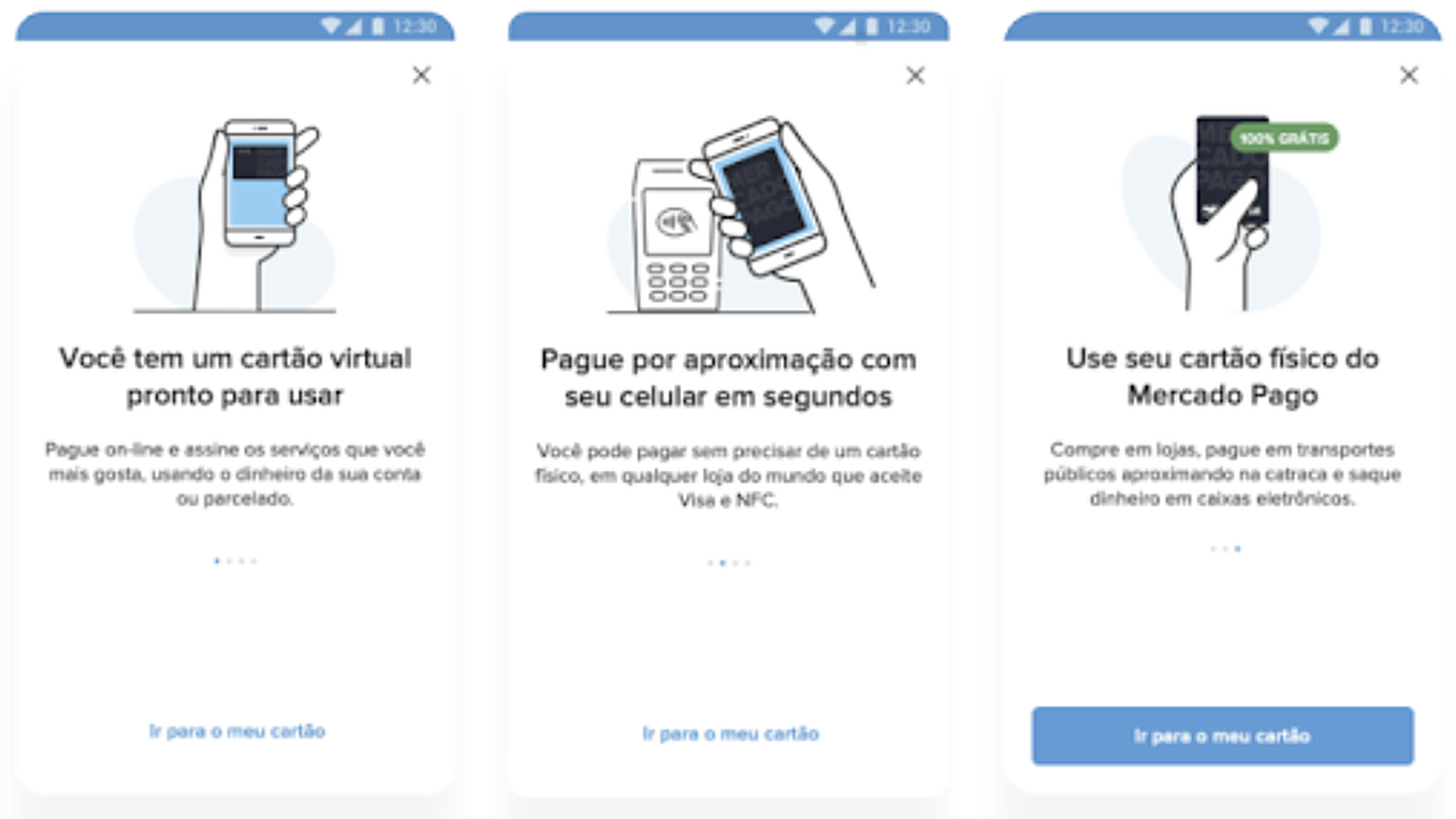
Onboarding carousel: virtual card, NFC payments and physical card explained
Onboarding: one card, three ways to use it, explained before the first payment.
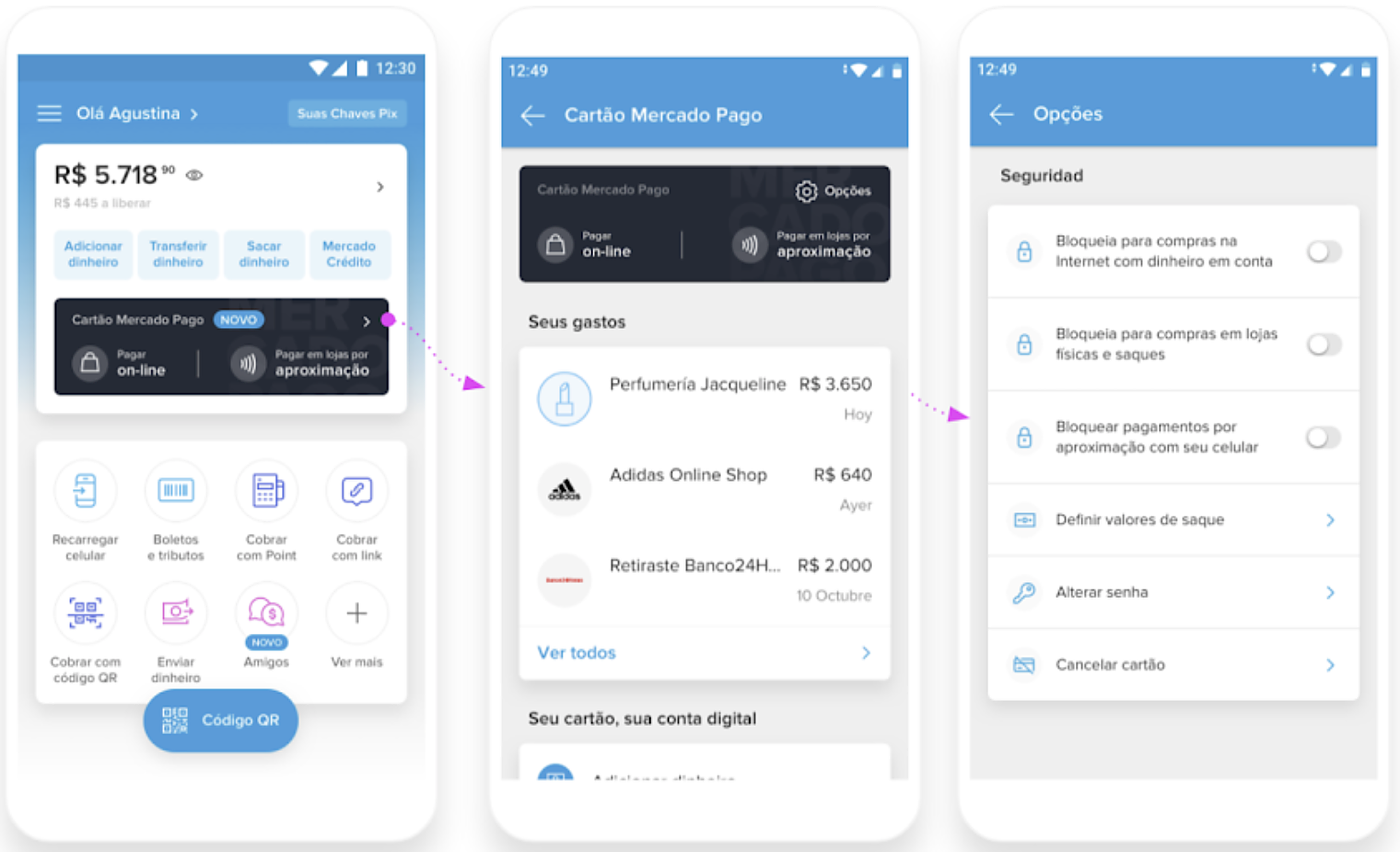
Path from home to card options, where NFC payments with the phone can be blocked
Security: NFC payments with the phone can be blocked in one tap from the card options.

1 → scale

The way people paid was changing, and the product grew with them.

During the pandemic, many stopped wanting to handle cash or touch card machines, and paying with the phone (NFC) became a safer everyday option.

We kept iterating with users, and later launched the credit function: debit users could turn it on in a few taps, without changing their card.

Where the product is today

6th largest credit card issuer in Brazil
2–3× more likely to stay active in the ecosystem: credit card holders vs. non-holders
4M debit card users ready to upgrade when credit launched
NextKala